Progress and checklist
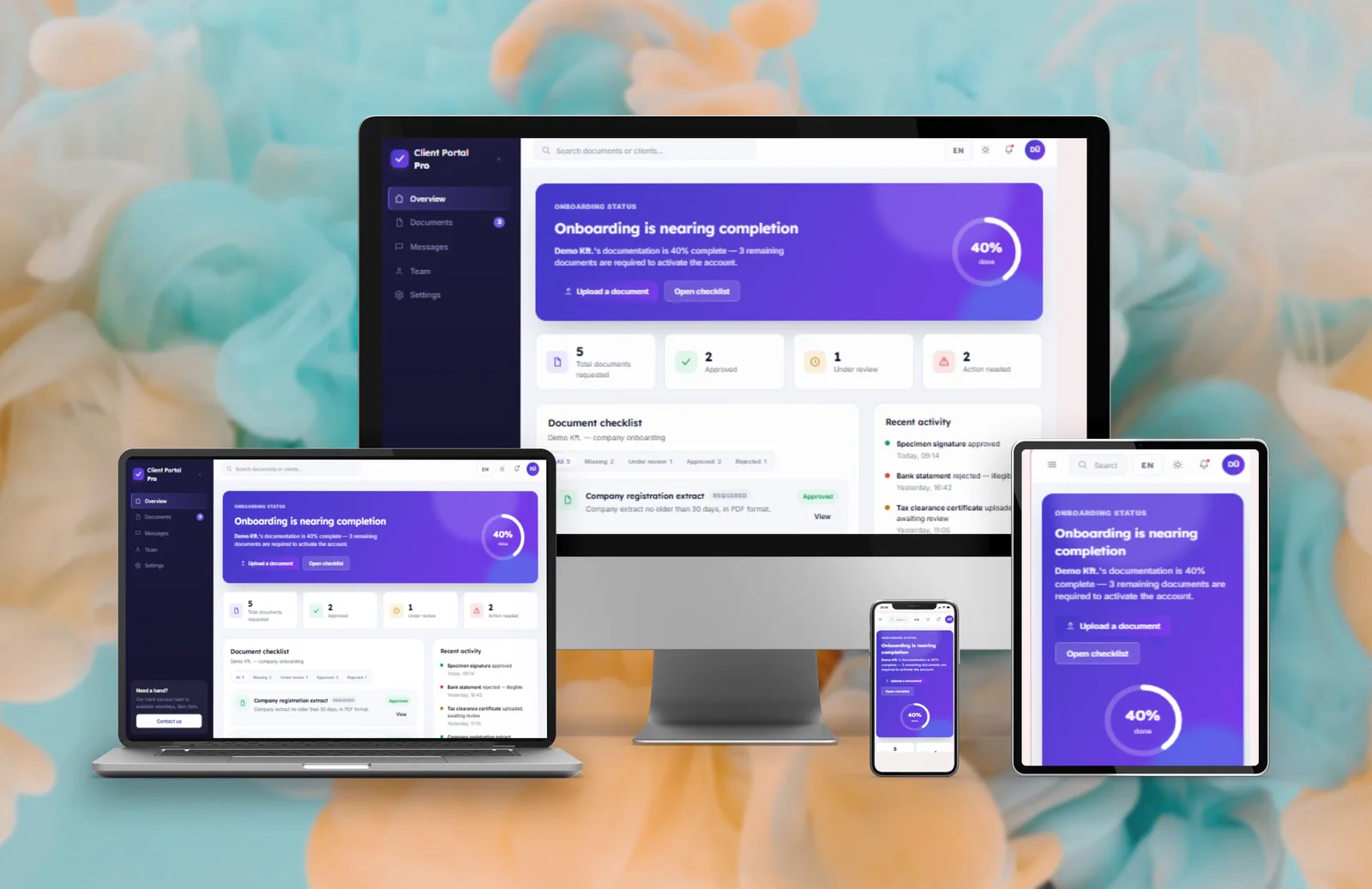
A progress view and a checklist show exactly what’s needed and what’s already done.
 Amethyst Nexalune
Web Design & Software Development
Amethyst Nexalune
Web Design & Software Development
Case study
Client Onboarding & Document Portal
A client onboarding portal where new clients see a checklist, upload documents and follow the status of each one, instead of a long email thread.
The problem
When a new client has to send you documents, it usually happens over email: you ask for a file, wait, chase it up, and hope nothing gets missed. Files end up buried in different inboxes, and nobody has a clear picture of what’s still missing.
The solution
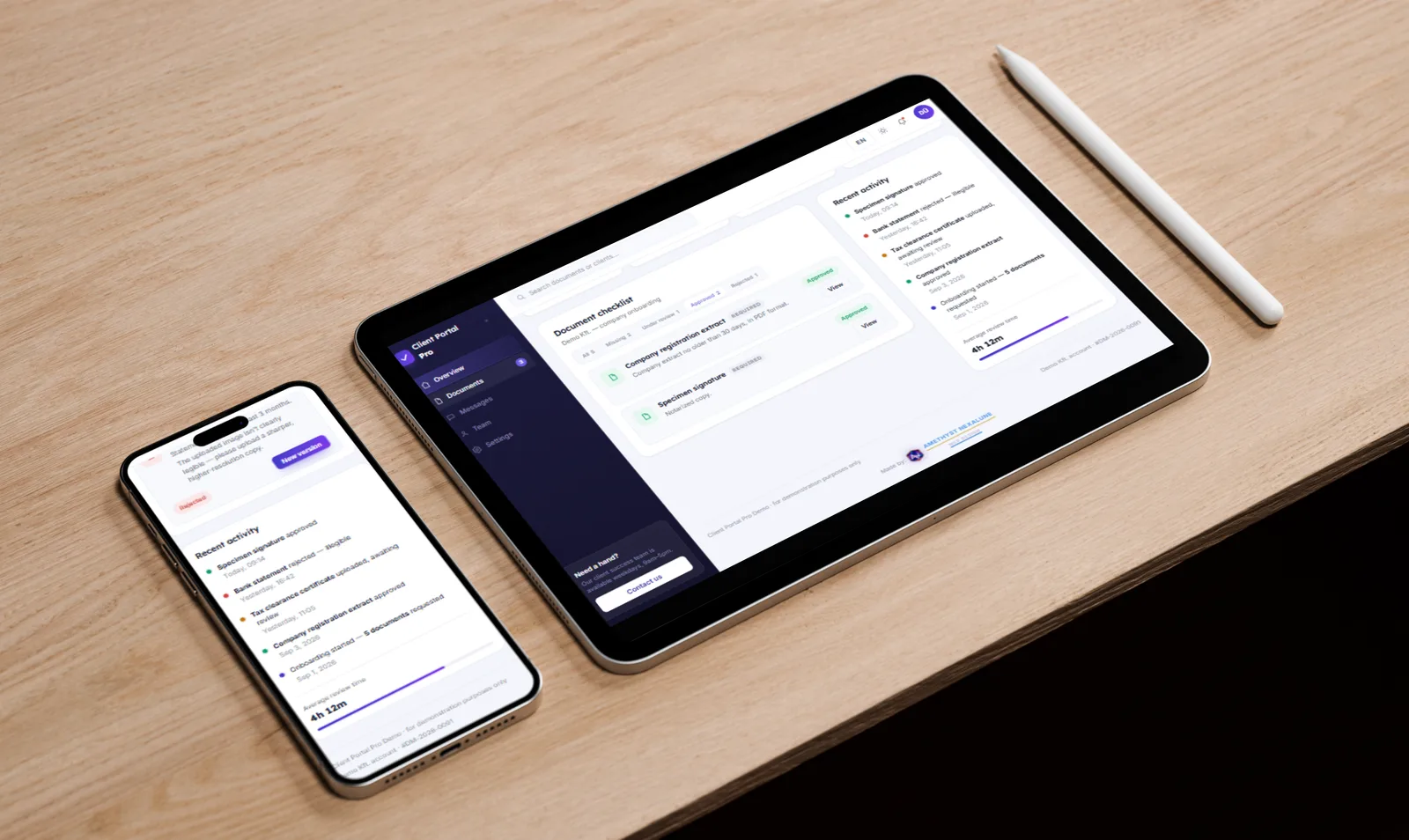
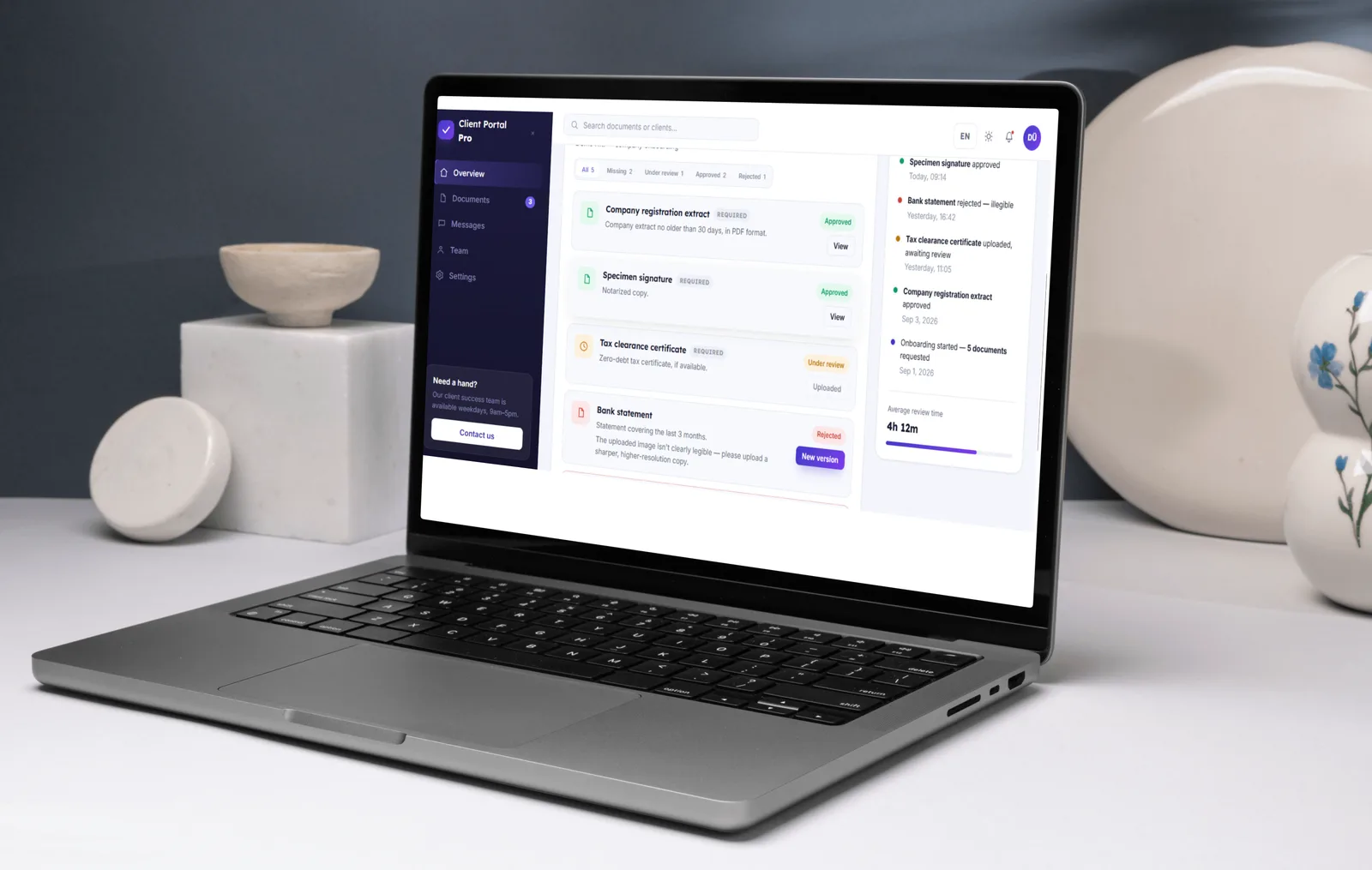
Instead of email, the portal shows the new client their progress and a checklist of the documents needed. They upload each one there and see its status, missing, under review, accepted, or rejected with a reason, together with the deadlines. Nobody has to guess or chase, so collecting documents is faster and clearer for both sides.
Key features
A progress view and a checklist show exactly what’s needed and what’s already done.
Clients upload each document where it’s asked for, and send a new version if one is rejected.
Every document is marked missing, under review, accepted or rejected, with the reason, so nobody has to guess.
Deadlines and a recent-activity list keep both sides up to date.
Screens
Flip through the screens, or click an image to enlarge it.
For your business
Collecting documents by email is slow: files get buried in inboxes, someone has to keep chasing, and nobody is sure what’s still missing. This kind of portal keeps all the documents together. For your business, I would build it around the way you work, with features such as reminders and internal approvals. This is a demo with sample data.
Have a project in mind?
The first consultation is free, and every project gets a fixed price agreed in writing before work starts.
Contact me